Admin users can access the Export Audit Log in Utilities. This log details who performed the export, when, and what filters were used, if any.
Note: This feature is currently only for Hours History, but will be expanded to include other areas in the future.
- Go to the Utilities Manager
- Click on the Export Audit Log Tile
Export Audit Log
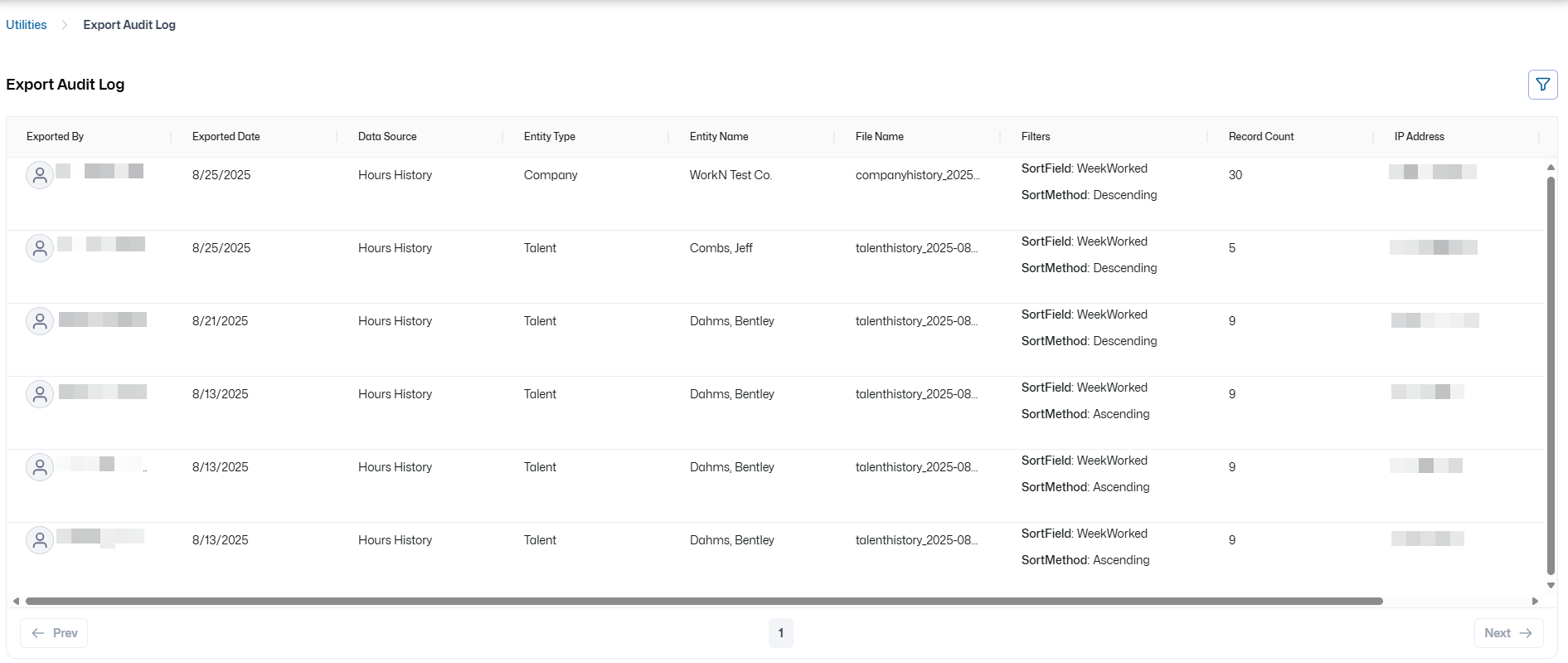
The Export Audit Log provides the following export details:
- Exported By
- Exported Date
- Data Source
- Entity Type
- Entity Name
- File Name
- Filters
- Record Count
- IP Address
- Export Method
The Export Audit Log can be filtered as shown by using the filter icon in the upper right-hand corner:
The filter options are:
- Entity Type: All Entity Types, Company, Talent
- Exported by: All Users, Individual Users sorted alphabetically
- Data Source: All Sources, Hours History
- Export Method: All Export Methods, Web, Api
- Exported Date: From, To
Comments
0 commentsPlease sign in to leave a comment.